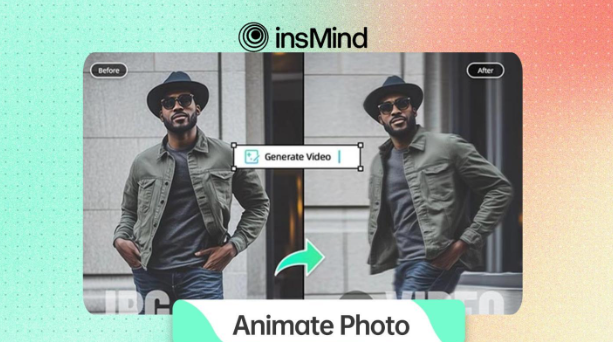

Photos don’t have to stay still any more; thanks to AI, turning static images into dynamic animations is now easier than ever. Whether you’re a content creator or just curious about adding movement to your pictures, tools like insMind offer features for Animate Photos.
You can make any image move and create dynamic, shareable content using the best AI photo animators available today. Hence, keep reading this guide to find out how insMind, with its futuristic technology, helps you instantly generate moving photos.
Part 1. Top-tier Tool to Animate Photos Instantly – insMind
If you’re looking to create moving pictures for a personal project or share them on social media, you must try the insMind Animate Photos tool. Its AI-powered algorithms can turn any picture into a moving image. With this tool, users can revisit their memories and even animate their family photos to make everyone smile. Furthermore, you can use it on your pet’s photos to add customizable motion effects and animation styles.
The standout feature of this tool is that it can automatically detect facial features, background elements, or objects to animate. Users can provide a descriptive prompt defining specific movements and actions to get precise results. In addition, artists can use it to animate their simple art into short cartoon videos of a 2-second duration. While doing so, you can choose to change the actions and expressions in the final result.
Part 2. Tutorial to Use an AI Photo Animator to Make Moving Pictures in Seconds
Now that you have explored the features of the insMind AI photo animator, see how you can make moving pictures in seconds.
Step 1. Launch the AI Animate Photos Tool
First of all, access the insMind’s AI Image Animator and upload a photo using the “Image” button. Then, provide a description in the “Prompt” box and click the “Generate” button to get the final animated result.

Step 2. Export the Ultra-HD AI Animate Photo
Once generated, you will see a moving picture on your screen, and pressing the “Download Ultra HD” button will save it on your device.

Part 3. Transform Your Social Media with Animated Photo Ideas
Now, here we’ll discuss how users can transform their social media accounts using this AI image animator:
- Engaging Reels: The insMind photo animator can generate animations that make short video content more attractive. Adding smooth transitions and fun effects can boost the entertainment value of Reels.
- Facebook and LinkedIn profile pictures: An animated profile picture instantly grabs more attention than a static one. Small movements or glowing effects make your professional or personal profile more memorable.
- Highlight Products with Motion Effects: Users can showcase products with smooth animation that stand out in busy feeds. Motion photos draw viewers’ attention to details and features that static images might miss.
- Celebrate Events and Special Moments: Anniversaries, milestones, or festive greetings feel livelier with animated photos. Hence, you can add motion effects to memories, making celebrations more emotional and visually richer.
- Build Engaging Ads and Promotions: Animated visuals created by the insMind AI photo animator add energy to social media advertisements, increasing click-through rates. Hence, a moving image conveys more story in less time than a static ad.
Part 4. Top 5 AI Features You Can Explore with insMind
Besides the AI image animator, insMind has various other visual enhancement features, of which the top 5 AI features are discussed below:
1. Studio Ghibli AI Video Generator
As the Ghibli trend is at its peak nowadays, you can use this tool to create Ghibli animated shorts in seconds. Users just need to provide a descriptive prompt to get their desired results.

2. Studio Ghibli Filter
This AI-powered tool can apply the Ghibli filter to your images, converting them into anime-inspired characters. Notably, there are multiple Ghibli filters that generate varied art expressions, letting you choose the preferred one.

3. AI Anime Generator
With this, users can convert their images into anime-style art by providing a prompt in the Description box. They can also choose styles from categories like Portraits and Illustrations for better results.

4. Studio Ghibli AI Generator
This feature provides Ghibli-inspired paintings with your text descriptions, turning imagination into reality. You can also decide on an aspect ratio for your results to make them suitable for posting.

5. AI Vtuber Maker
Users can generate their AI Vtuber avatars and convert their streaming room backgrounds into Vtuber-inspired art. The feature lets you proceed with image references and text descriptions.

Conclusion
In short, the insMind photo animator tool is the best free way to turn static photos into engaging, lifelike videos. The tool is not only fast and easy to use but also incredibly fun. So, try the insMind Animate Photo feature today and transform your images into moving stories with just a few clicks.

 By
By
 By
By
 By
By

 By
By