

Key Takeaways & Executive Summary
- Standardized Pinout Map: The JFP1 header standardizes power switch, reset switch, and chassis LED connections across modern desktop motherboards.
- Polarity Specificity: LED connections strictly demand positive (anode) and negative (cathode) alignment, while momentary switches operate omnidirectionally.
- Hardware Level Isolation: Jumper testing pins 6 and 8 allows technicians to bypass front-panel mechanical switch failures instantaneously.
Introduction
Motherboards serve as the central nervous system of our computers, intricately connecting and coordinating various components to ensure seamless operation.
Among the myriad features found on a motherboard, the JFP1 connector stands out as a pivotal component, facilitating the essential connection between the motherboard and the front panel of the computer case.
In this comprehensive guide, we’ll delve into the significance of the JFP1 connector, its applications on MSI motherboards, and provide in-depth insights into its functionality through a simplified explanation.
Understanding JFP1 on MSI Motherboards
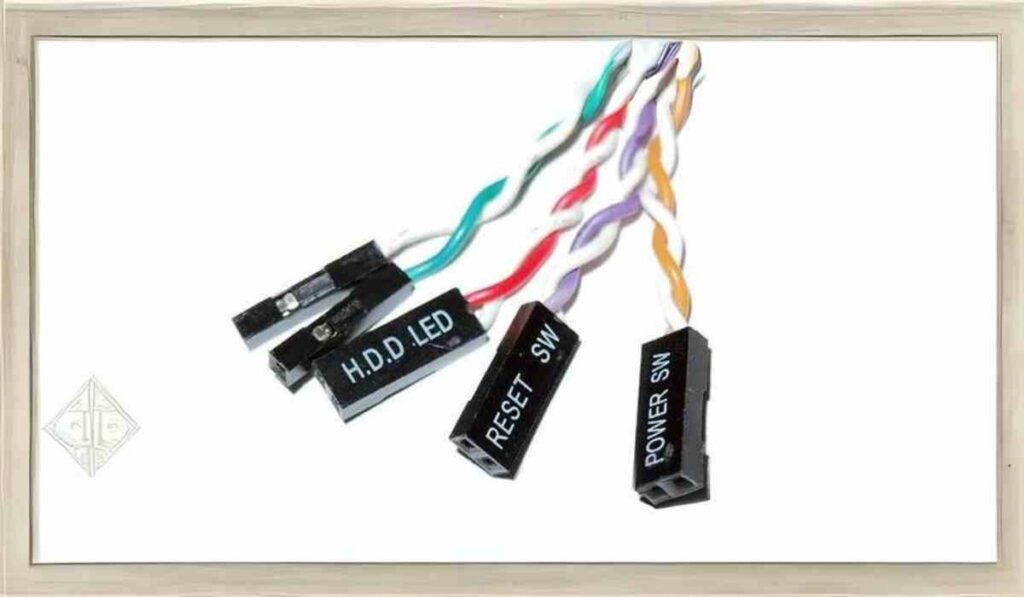
JFP1, an acronym for “Jumper Front Panel 1,” holds immense importance as a motherboard header used to configure front panel components, encompassing power buttons, reset buttons, and speaker connections.
Essentially, it serves as the gateway through which users interact with their computer system, enabling seamless operation and control.
Locating the JFP1 Connector
Identifying the JFP1 connector on MSI motherboards is crucial for efficient system assembly and maintenance.
Typically situated along the edge of the motherboard, near the bottom or side, the JFP1 connector appears as a cluster of pins or connectors labeled as JFP1 or Front Panel.
Consulting the motherboard manual or documentation is recommended for precise identification and understanding of its location.
Deciphering the JFP1 Diagram and Pin Configuration
The pin configuration of the JFP1 connector may vary depending on the MSI motherboard model. However, common configurations include pins dedicated to power LED, HDD LED, power button, reset button, and speaker connections.
Referring to the motherboard manual is imperative to correctly decipher the pin configuration tailored to your specific motherboard model.
Also Read: https://entretech.org: Navigating The Entrepreneurial Landscape
JFP1 Cable and Polarity Considerations
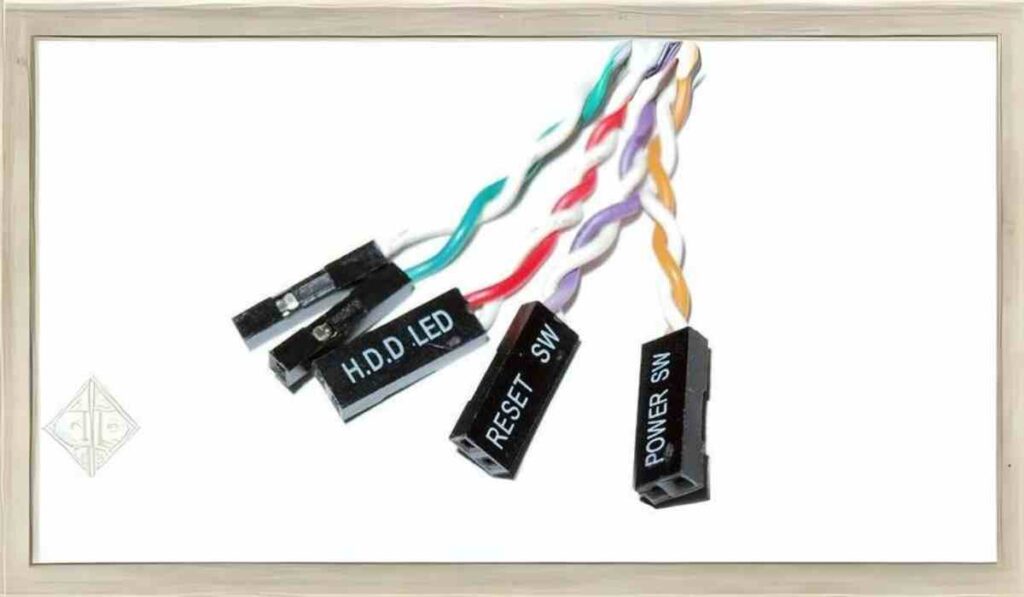
Ensuring proper polarity is crucial when connecting front panel cables to the JFP1 connector, particularly concerning LED cables.
Although manufacturers may sometimes split connectors, aligning the positive and negative terminals correctly is essential for optimal functionality and performance.
Paying close attention to polarity markings or indicators on the cables can aid in seamless connection and operation.
Harnessing the Power of the JFP1 Connector
The versatile nature of the JFP1 connector empowers users to perform vital functions such as powering on the computer, resetting it, and controlling LED indicators with ease.
While it’s advisable to connect all front panel connectors for comprehensive functionality, users can still operate their system by connecting essential components like the power header, ensuring uninterrupted performance.
Troubleshooting and Practical Tips
In scenarios where front panel connectors obstruct other components, removing the black plastic shroud from the cables can provide a viable solution.
This enables users to directly connect the cable to the prongs, facilitating smooth functionality without hindrance or interference.
Related Post: Unveiling the Power of MITX Motherboards: Small Marvels of Modern Computing
Conclusion
In conclusion, the JFP1 connector on MSI motherboards serves as a cornerstone for front panel functionality, empowering users to interact with their computer system effortlessly.
By gaining a deeper understanding of its significance, pin configuration, and practical applications, users can navigate motherboard assembly and troubleshooting with confidence, ensuring optimal performance and functionality of their systems.
FAQs
What is the meaning of JFP1 on a motherboard?
JFP1, or “Jumper Front Panel 1,” represents a critical motherboard header used to configure front panel components, facilitating seamless interaction between users and their computer systems.
Do all motherboards feature a JFP1 connector?
Yes, nearly all motherboards, including MSI models, incorporate a JFP1 connector to enable front panel connections and functionality, ensuring user convenience and system operability.
Is it necessary to connect all front panel connectors to the JFP1 connector?
While connecting all front panel connectors to the JFP1 connector is recommended for comprehensive functionality, users can still operate their systems by connecting essential components like the power header, ensuring uninterrupted performance and usability.
By unraveling the mysteries surrounding the JFP1 connector, users can enhance their understanding of motherboard functionality and confidently navigate system assembly and maintenance, ensuring optimal performance and longevity of their computer systems.
MSI JFP1 Front-Panel Header Pin Assignments & Polarity Specifications
| Metric / Operational Benchmark | Standard Industry Benchmark | Optimized Architecture |
|---|---|---|
| Pin 1 & Pin 3 (HDD LED) | Requires Strict Polarity (+ Pin 1, – Pin 3) | High-speed NVMe / SATA drive activity telemetry |
| Pin 2 & Pin 4 (Power LED) | Requires Strict Polarity (+ Pin 2, – Pin 4) | Chassis system power status and sleep state beacon |
| Pin 6 & Pin 8 (Power Switch) | Omnidirectional Momentary Contact | Shorts 3.3V/5V standby pin to ground to signal PSU power-on |
| Pin 5 & Pin 7 (Reset Switch) | Omnidirectional Momentary Contact | Triggers hardware-level system reboot without dropping AC rail |
| Pin 9 (Reserved / NC) | No Connection / Dummy Pin | Keying locator to prevent reverse block header installation |
Hardware Diagnostics & Front-Panel Troubleshooting Protocols
Building or repairing desktop PC systems requires understanding the exact electrical pinouts of front-panel connections. The JFP1 (Junior Front Panel 1) header on MSI, ASUS, and other ATX-compliant motherboards serves as the nerve center for physical chassis controls. Misidentifying header pins or reversing polarities on critical indicators causes confusion, missing power-on states, or non-responsive reboot switches. Understanding the electrical engineering behind these low-voltage circuits ensures reliable hardware assembly and rapid troubleshooting.
1. Polarity Rules: Understanding Switches vs LEDs
Electrical circuits on front-panel headers fall into two distinct functional categories:
- Momentary Push Switches (Power & Reset): Pins 6/8 and Pins 5/7 are voltage-to-ground momentary switches. When pressed, they complete a low-voltage circuit to ground for a fraction of a second. They carry no polarity, meaning either orientation functions flawlessly.
- Diodes & Indicators (Power LED & Storage LED): Pins 1/3 and Pins 2/4 power light-emitting diodes that require unidirectional current flow. Reversing the positive (anode) and negative (cathode) leads prevents illumination entirely without causing electrical damage.
2. Systematic Hardware Isolation for Non-Booting Rigs
When a newly assembled system fails to power on upon pressing the chassis button, follow this bench diagnosis protocol:
- The Screwdriver Jump Test: Disconnect all front-panel leads from JFP1. Use a flathead magnetic screwdriver to bridge Pin 6 and Pin 8 momentarily. If the system fans spin and POST initializes, the fault lies in the chassis power switch or wiring harness.
- Multimeter Standby Rail Test: Set a digital multimeter to DC voltage. Measure across Pin 6 and chassis ground; you should read a steady 3.3V or 5.0V standby voltage supplied by the ATX 24-pin connector. Zero voltage indicates power supply unit (PSU) or motherboard VRM fault.
- Continuity Testing on Chassis Switches: Measure resistance across the chassis power switch leads while pressing the button. Resistance should drop from infinity (open) to under 1 Ohm (closed).
3. Cable Management & Long-Term Connection Integrity
Front-panel header pins are vulnerable to bending and stress fractures during cable routing. Utilize unified front-panel quick-connect blocks or pre-bundled chassis ribbon cables to prevent individual pin displacement during GPU installation or chassis vibration over extended multi-year operational lifecycles.
Frequently Asked Questions (FAQs)
Can plugging front-panel connectors into the wrong pins burn out the motherboard?
No. The JFP1 header carries low-voltage, low-current signals (3.3V to 5V). Incorrectly connecting leads will simply cause the buttons or LEDs not to function until corrected.
Why does my HDD LED stay solid red or off constantly?
A solid LED usually indicates reverse polarity on Pins 1 and 3, or constant background drive indexing. Reversing the pin orientation usually resolves missing illumination.
What is the JFP2 header found on some MSI motherboards?
JFP2 is a secondary 4-pin header dedicated to the legacy chassis speaker/buzzer (Pins 1-4) and power LED indicators on older PC enclosures.


 By
By